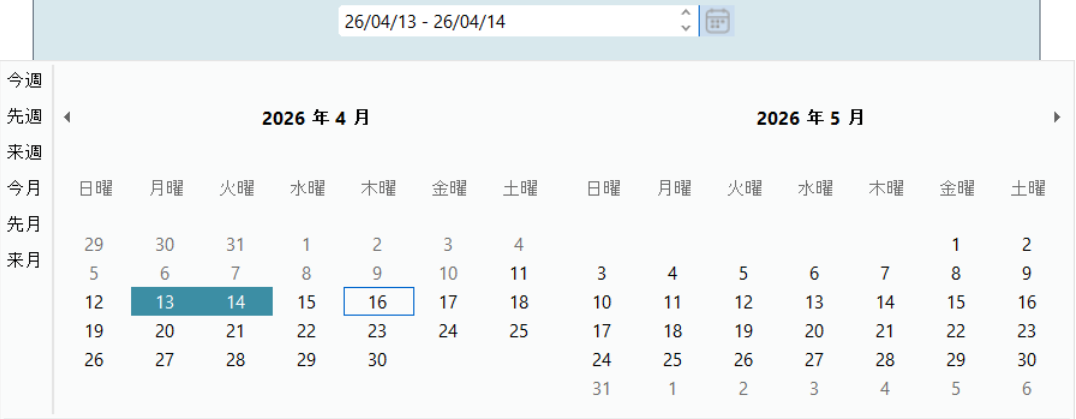
The C1DateRangeEdit class provides properties and events to configure date range selection behavior, predefined ranges, and selection constraints.
Select a Date Range
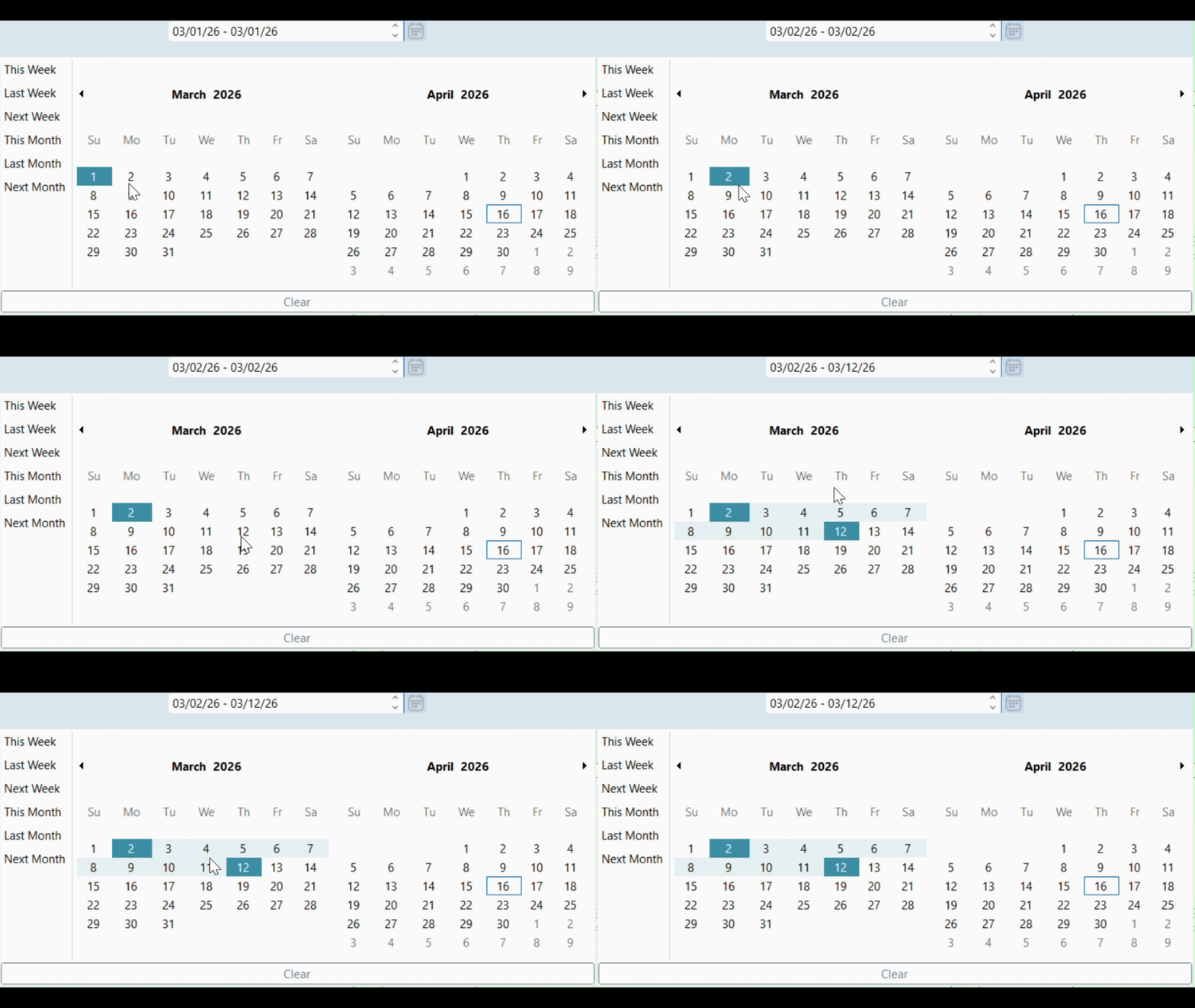
The control allows selection of a start date and an end date from the drop-down calendar. The selected range is displayed in the editor and highlighted in the calendar.
| C# |
コードのコピー
|
|---|---|
| // Get selected date range var range = dateRangeEdit.GetSelectedDateRange(); |
|
Use Predefined Ranges
Use predefined ranges to provide quick access to commonly used date intervals.
| C# |
コードのコピー
|
|---|---|
| // Enable predefined ranges dateRangeEdit.Calendar.ShowPredefinedRanges = true; |
|
Set Date Range Constraints
Use the MinValue and MaxValue properties to restrict selectable dates. Dates earlier than MinValue or later than MaxValue cannot be selected.
| C# |
コードのコピー
|
|---|---|
|
// Set minimum date // Set maximum date |
|
Limit the Selection Range
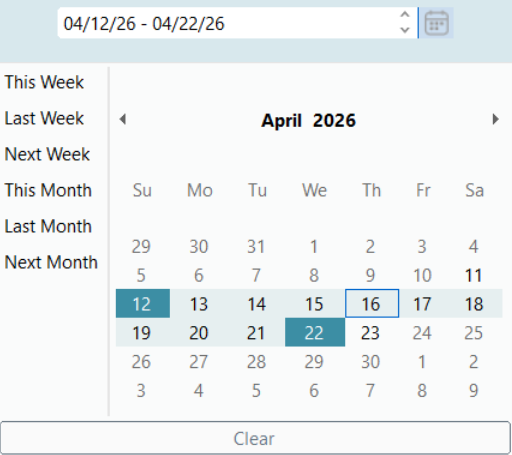
Use the MaxSelectionCount property to restrict the number of selectable days.
| C# |
コードのコピー
|
|---|---|
| // Limit number of selectable days dateRangeEdit.Calendar.MaxSelectionCount = 3; |
|
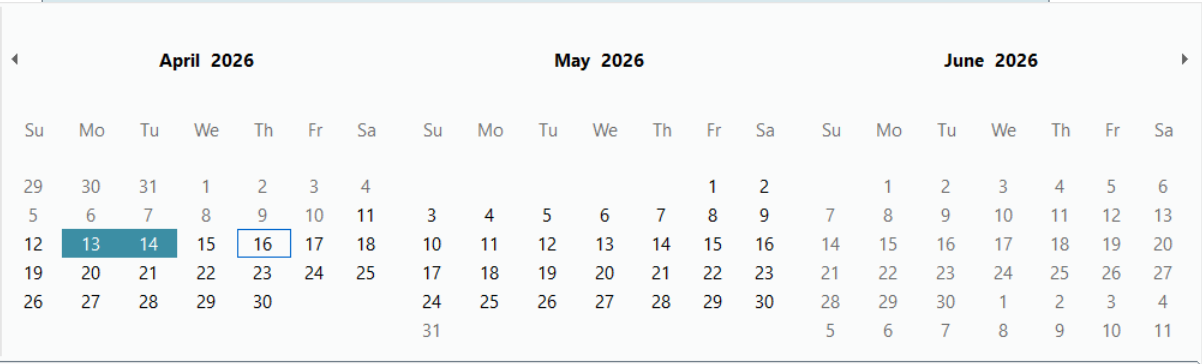
Configure Calendar Dimensions
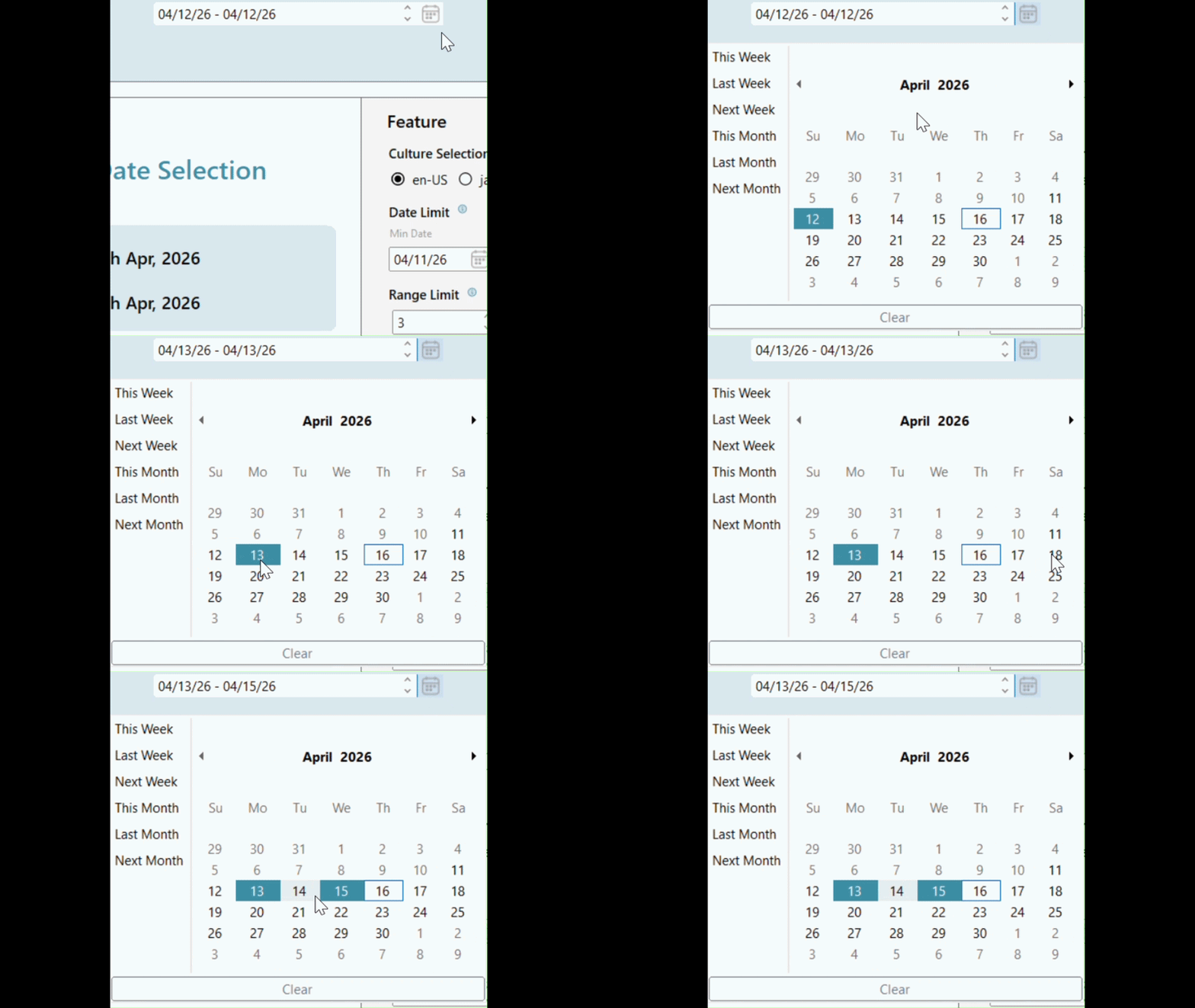
Use the CalendarDimensions property to display multiple months simultaneously.
| C# |
コードのコピー
|
|---|---|
| // Show multiple months dateRangeEdit.Calendar.CalendarDimensions = 3; |
|
Handle Events
The control provides events for handling date range interaction.
- DateRangeSelected occurs when a date range is selected.
- DateRangeChanged occurs when the selected range changes.
| C# |
コードのコピー
|
|---|---|
|
dateRangeEdit.DateRangeSelected += (s, e) => dateRangeEdit.DateRangeChanged += (s, e) => |
|
Culture-Specific Behavior
DateRangeEdit reflects culture-specific formatting and calendar behavior based on the current application culture.
| C# |
コードのコピー
|
|---|---|
| // Example: change cultureSystem.Threading.Thread.CurrentThread.CurrentCulture = new System.Globalization.CultureInfo("ja-JP"); |
|