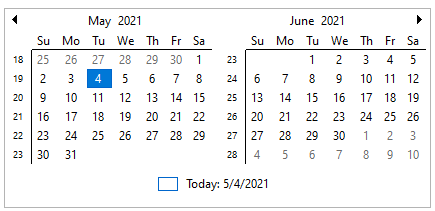
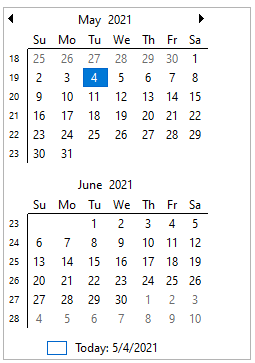
CalendarView supports both horizontal and vertical orientation. By default, the navigation orientation of the Calendar control is in horizontal direction. However, you can change the navigation orientation of the calendar to vertical direction by using VerticalOrientationLayout property of the C1CalendarView class.
To display month navigation in vertical orientation, set the VerticalOrientationLayout property to true.
| C# |
コードのコピー
|
|---|---|
// Set the vertical orientation calendarView.VerticalOrientationLayout = true; |
|
The following table displays CalendarView in horizontal and vertical layout.
| Orientation Layout | Snapshot |
| Horizontal |
|
| Vertical |
|