C1FlexGrid コントロールを使用すると、各行に行の詳細セクションを追加することで階層グリッドを作成できます。行の詳細セクションを追加すると、いくつかのデータをグループ化して折りたたみ可能なテンプレートにまとめ、各行にそれらのデータのサマリーだけを表示できます。行の詳細セクションは、行をタップした場合にのみ表示されます。
次の図は、各行に行の詳細セクションを追加した FlexGrid を示します。
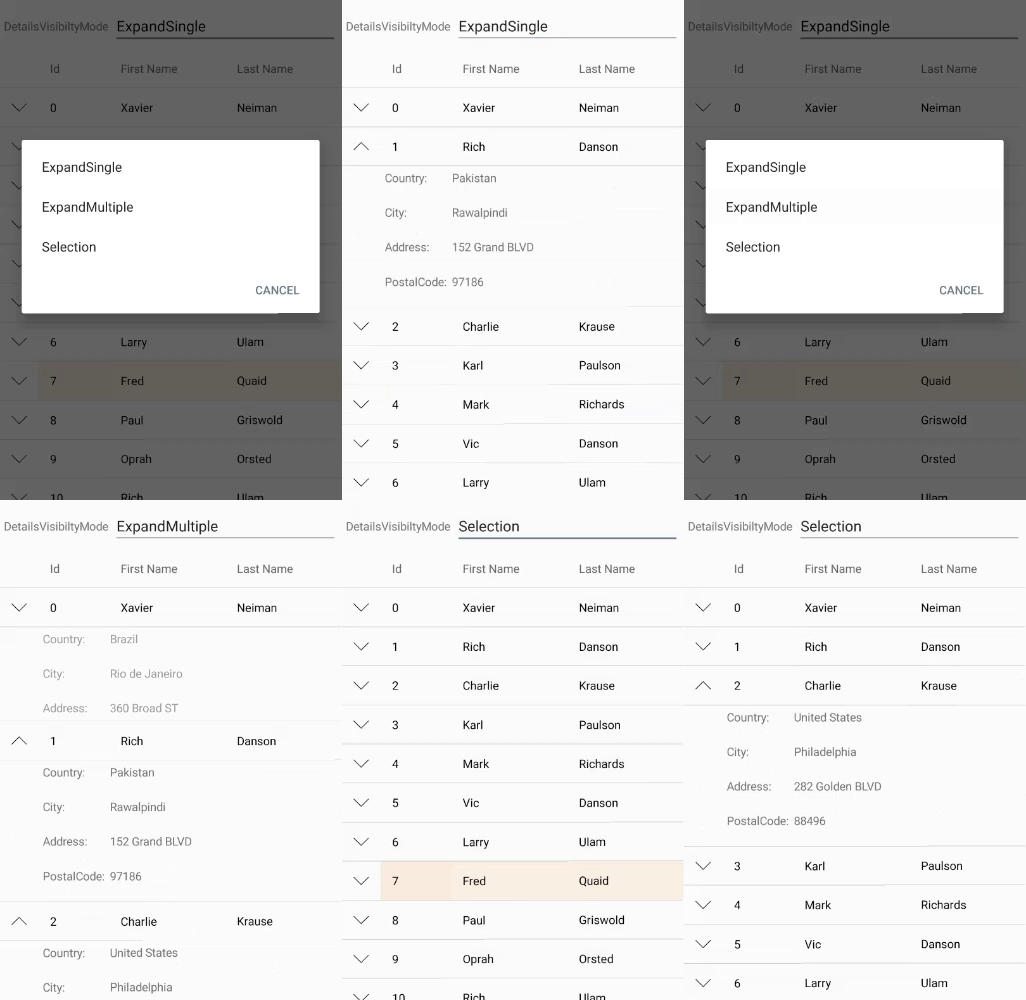
次のコード例は、C# で、行の詳細セクションを FlexGrid コントロールに追加する方法を示します。この例では、「クイックスタート」で作成したサンプルを使用します。MainActivity に次のコードを追加します。
| C# |
コードのコピー
|
|---|---|
    public class MainActivity : Activity
    {
        public FlexGrid grid;
        //private C1CollectionView<Customer> _collectionView;

        protected override void OnCreate(Bundle savedInstanceState)
        {
            base.OnCreate(savedInstanceState);
            SetContentView(Resource.Layout.Main);

            grid = FindViewById<FlexGrid>(Resource.Id.Grid);

            var data = Customer.GetCustomerList(100);

            grid.AutoGenerateColumns = false;
            grid.Columns.Add(new GridColumn() { Binding = "Id", Width = GridLength.Auto });
            grid.Columns.Add(new GridColumn() { Binding = "FirstName", Width = GridLength.Star });
            grid.Columns.Add(new GridColumn() { Binding = "LastName", Width = GridLength.Star });
            var details = new FlexGridDetailProvider();
            details.Attach(grid);
            details.DetailCellCreating += OnDetailCellCreating;
            details.Height = GridLength.Auto;
            grid.ItemsSource = data;
        }

        private void OnDetailCellCreating(object sender, GridDetailCellCreatingEventArgs e)
        {
            var customer = e.Row.DataItem as Customer;
            var detailsView = LayoutInflater.Inflate(Resource.Layout.RowDetailsCell, null);
            var countryLabel = detailsView.FindViewById<Android.Widget.TextView>(Resource.Id.CountryLabel);
            var cityLabel = detailsView.FindViewById<Android.Widget.TextView>(Resource.Id.CityLabel);
            var addressLabel = detailsView.FindViewById<Android.Widget.TextView>(Resource.Id.AddressLabel);
            var postalCodeLabel = detailsView.FindViewById<Android.Widget.TextView>(Resource.Id.PostalCodeLabel);
            countryLabel.Text = string.Format(Resources.GetString(Resource.String.RowDetailsCountry), customer.Country);
            cityLabel.Text = string.Format(Resources.GetString(Resource.String.RowDetailsCity), customer.City);
            addressLabel.Text = string.Format(Resources.GetString(Resource.String.RowDetailsAddress), customer.Address);
            postalCodeLabel.Text = string.Format(Resources.GetString(Resource.String.RowDetailsPostalCode), customer.PostalCode);
            e.Content = detailsView;
        }
    }
|
|